

Setup Firebase Cloud Messaging
To make use of Gleap Push Notifications you must add the Firebase Cloud Messaging service to your app or website. Learn how to get started with FCM here.Getting your Firebase Cloud Messaging Token
Open your project in Firebase and open the project settings. Click on “Cloud Messaging” and, if it is not already enabled, activate the Firebase Cloud Messaging API (V1).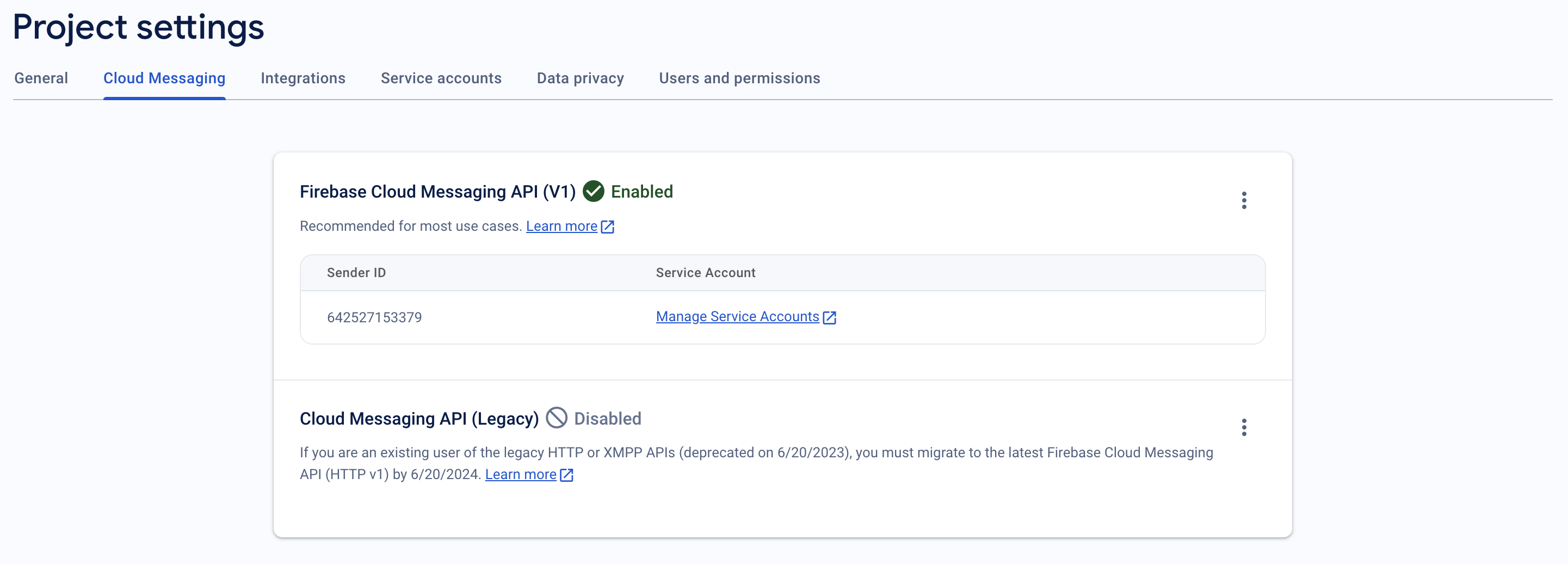
serviceAccountKey.json.
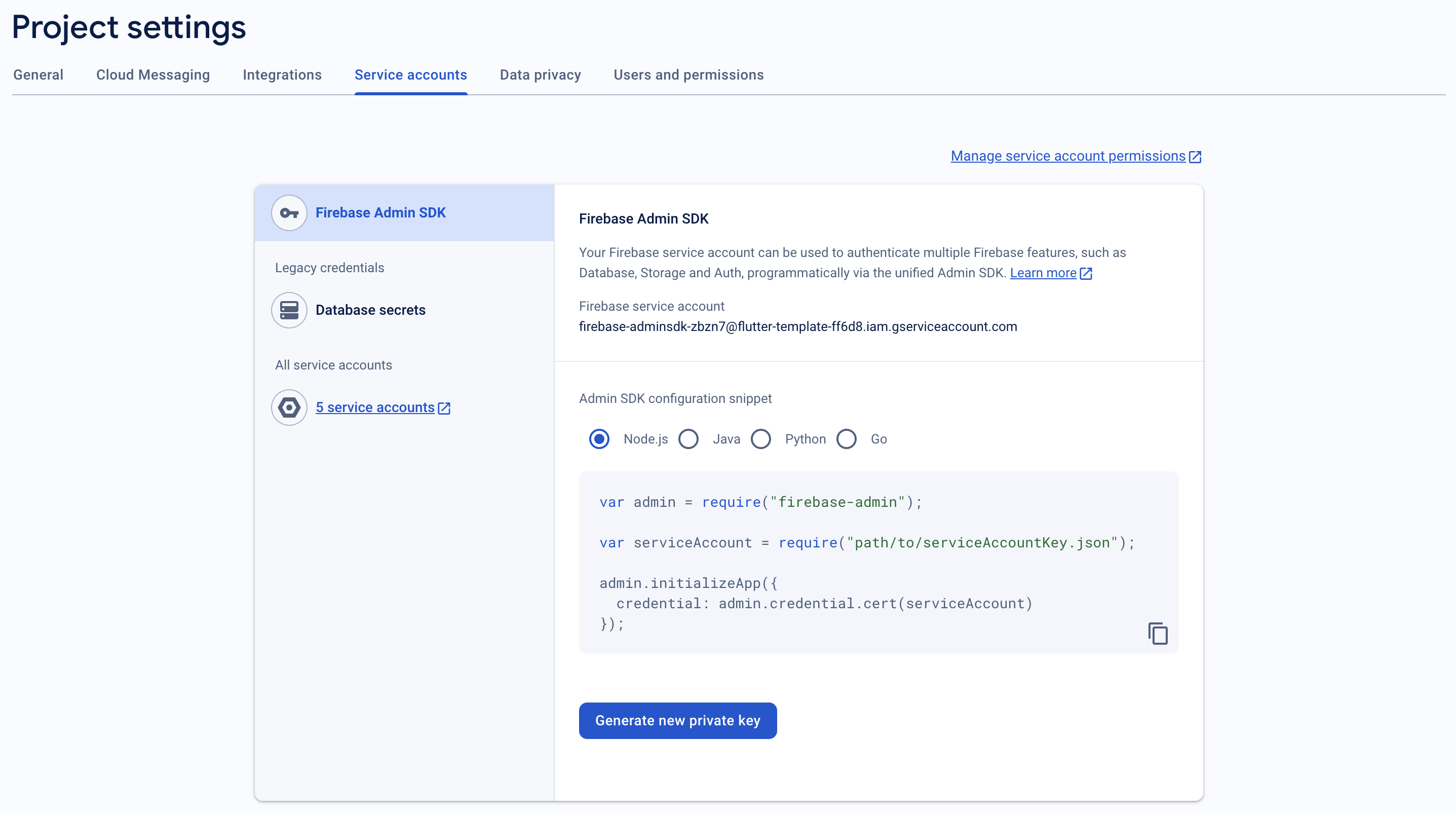
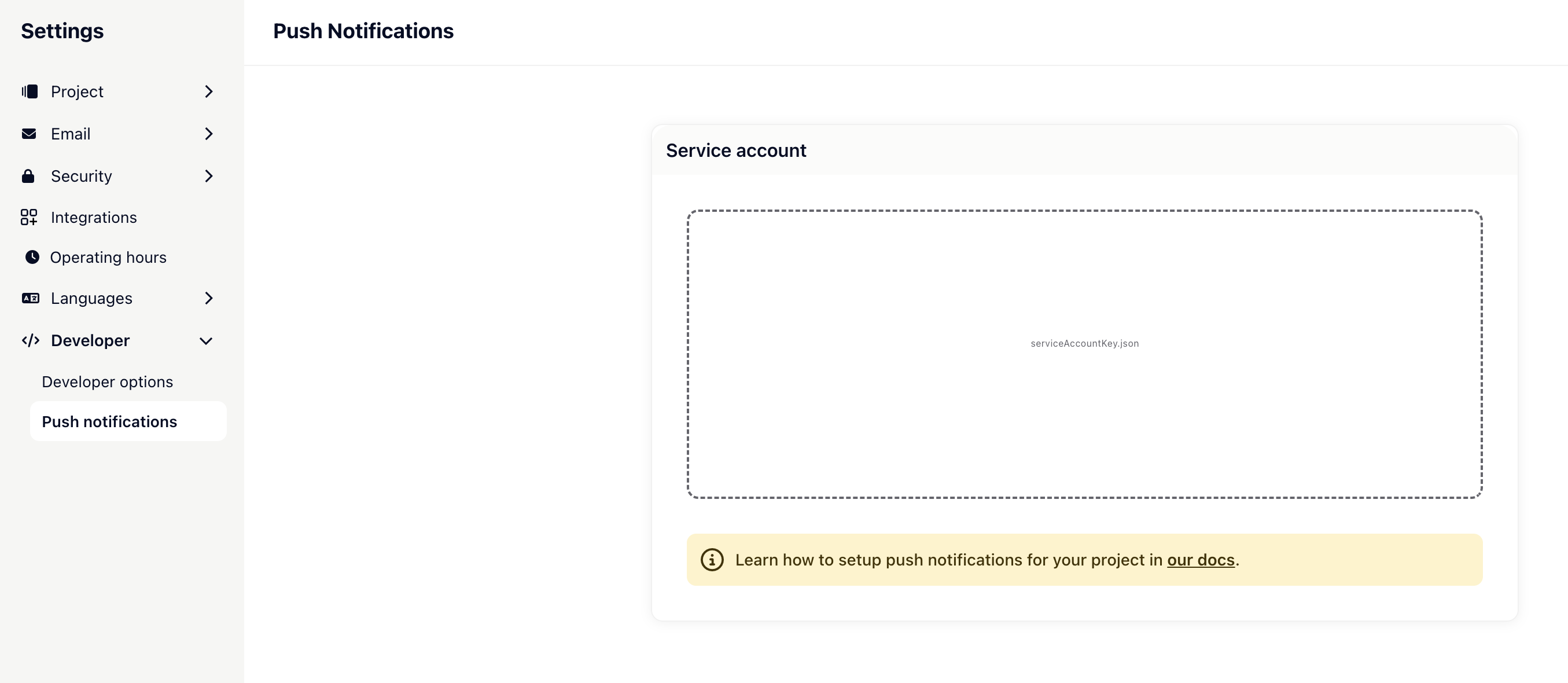
serviceAccountKey.json file. Finally, save your configuration.
Subscribe to the Gleap user topic
The last step to complete the push notification setup is to subscribe to the user topic, which Gleap will send the push notifications to. In order to do so, you will need to register the register & unregister push message topic callbacks.Register both listeners before calling
Gleap.initialize(), so the initial topic registration isn’t missed.identify() / clearIdentity() automatically emit unregisterPushMessageGroup for the previous topic and registerPushMessageGroup for the new one — you don’t need to unsubscribe manually on sign-out.
Push notification payload
Every push notification sent by Gleap carries adata payload with the following keys:
Outbound push campaigns send
type and actionId instead of id.
The notification itself contains the sender’s name in the title and a short plain-text preview (truncated to 70 characters) of the message as the body.
Handle push-notification taps
When the user taps a Gleap notification, check forsender === 'GLEAP' and open the referenced content. When the app is launched from a killed state, wait for Gleap’s initialized event before routing — otherwise the SDK may not be ready to open the conversation yet:
Notification images
When a changelog or news article with a featured image is sent as a push notification, Gleap includes the image in the FCM payload.- Android displays the image automatically when the notification arrives while your app is in the background — no setup required.
- iOS requires a Notification Service Extension in your app to display the image. Follow the native setup in the iOS push notification guide — the extension is added to the iOS project in Xcode and works unchanged in a React Native app.