> ## Documentation Index
> Fetch the complete documentation index at: https://docs.gleap.io/llms.txt
> Use this file to discover all available pages before exploring further.
# Ticket attributes
 ## Set ticket attributes
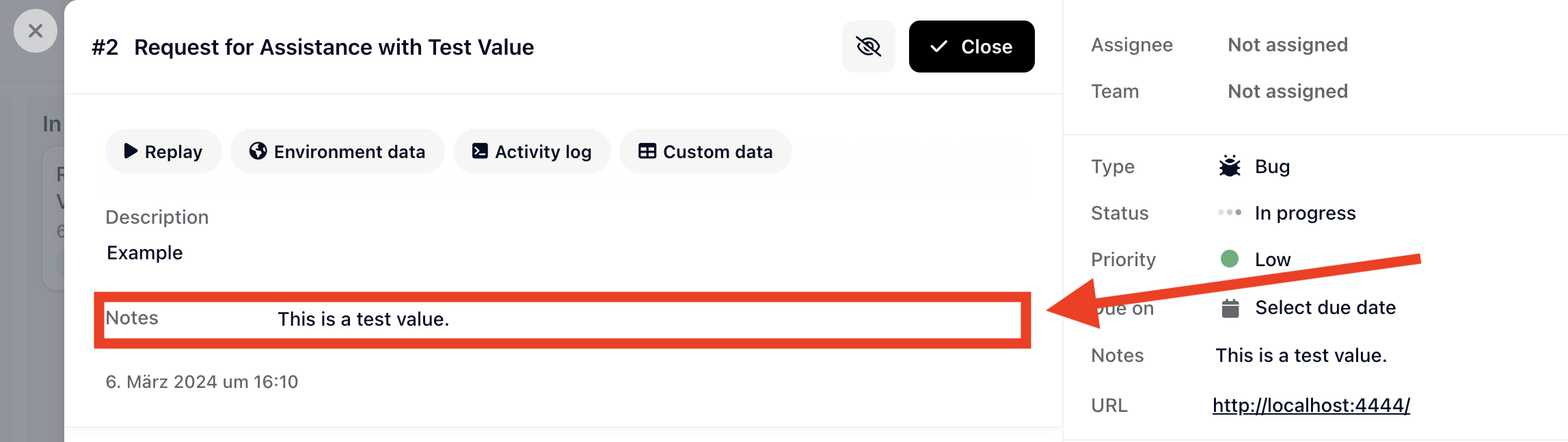
Ticket attributes can be set with the method below. If the user also provides data for an attribute (for example `description`), the user input will be prioritized.
```javascript theme={null}
Gleap.setTicketAttribute("notes", "This is a test value.");
```
**First param**: attribute key
## Set ticket attributes
Ticket attributes can be set with the method below. If the user also provides data for an attribute (for example `description`), the user input will be prioritized.
```javascript theme={null}
Gleap.setTicketAttribute("notes", "This is a test value.");
```
**First param**: attribute key
**Second param**: value (string, boolean, string array or number are supported)
Ticket attribute data will not be [pre-filled](reactnative/prefill-form-data.md) in forms.
## Finding the ticket attribute keys
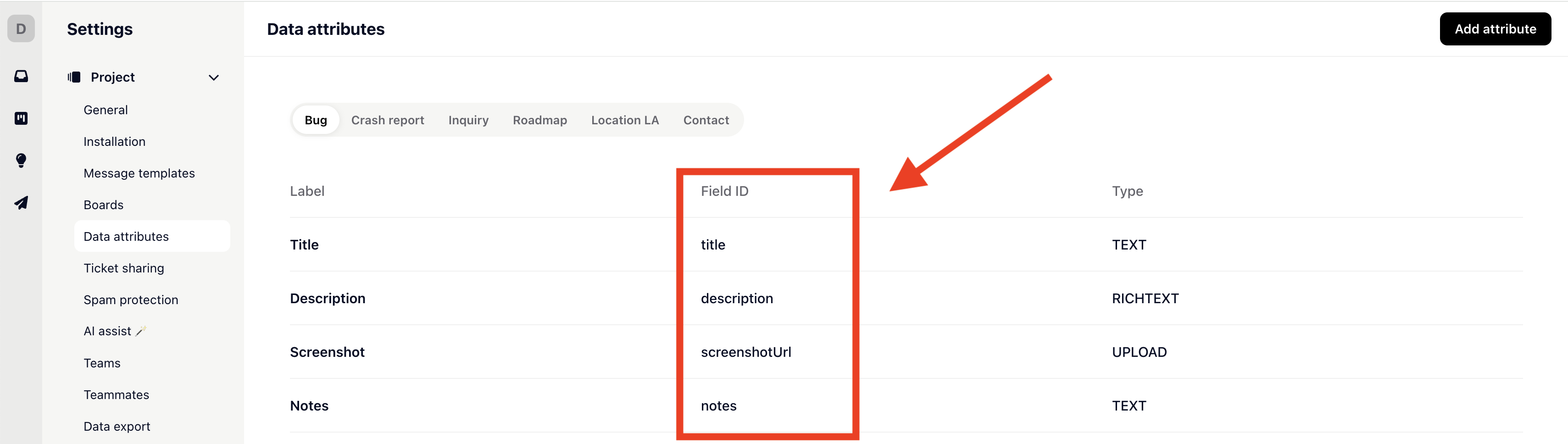
You can find or create all available ticket attributes for each ticket type in **Settings** > **Data attributes**.
 ## Unset ticket attributes
Ticket attributes can be unset with the method below.
```javascript theme={null}
Gleap.unsetTicketAttribute("notes");
```
## Clear all ticket attributes
All ticket attributes can be cleared with the method below.
```javascript theme={null}
Gleap.clearTicketAttributes();
```
## Unset ticket attributes
Ticket attributes can be unset with the method below.
```javascript theme={null}
Gleap.unsetTicketAttribute("notes");
```
## Clear all ticket attributes
All ticket attributes can be cleared with the method below.
```javascript theme={null}
Gleap.clearTicketAttributes();
```