> ## Documentation Index
> Fetch the complete documentation index at: https://docs.gleap.io/llms.txt
> Use this file to discover all available pages before exploring further.
# Forms
Gleap forms are a traditional, straightforward approach for user data input. They offer a simple, efficient method for users to provide specific information or feedback. Forms are particularly useful when detailed user input is essential, allowing for a clear, direct way of data collection without the dynamic steps involved in workflows.
If you want to manually show a form, simply call one of the following methods.
### Bug reporting form
The bug reporting form is the default form for bug reports and allows users to mark bugs and add a description as well as their email address.
```csharp theme={null}
// Starts a classic bug reporting form.
Gleap.StartClassicForm("bugreporting");
```
The first parameter determines the flow that should be started. The optional second parameter is the `showBackButton` form option.
`Gleap.StartFeedbackFlow("flowId")` behaves identically and matches the API name used by the other Gleap SDKs — use whichever reads best in your code.
### Feature request form
This form is great if you want to collect feature requests. You can also embed your Gleap roadmap and share it with your users to have them vote on requests.
```csharp theme={null}
// Starts a classic feature request form.
Gleap.StartClassicForm("featurerequests");
```
### Custom forms
Gleap also allows you to configure custom forms. This is especially handy if our default forms don't fully cover your use cases. Visit our dashboard for more information on custom forms.
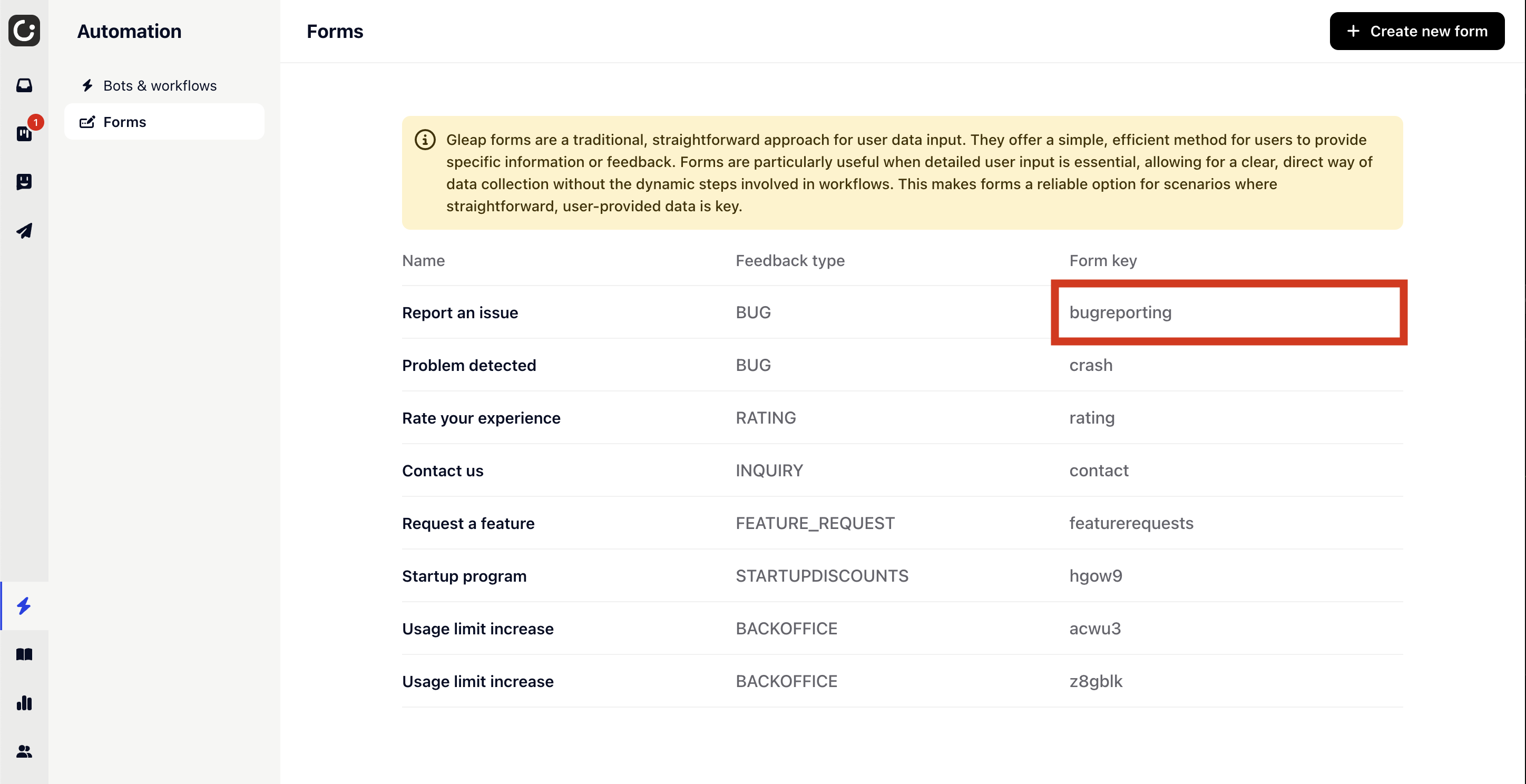 ```csharp theme={null}
// Starts a classic form with the CUSTOM_FORM_KEY as key.
Gleap.StartClassicForm("CUSTOM_FORM_KEY");
```
```csharp theme={null}
// Starts a classic form with the CUSTOM_FORM_KEY as key.
Gleap.StartClassicForm("CUSTOM_FORM_KEY");
```