> ## Documentation Index
> Fetch the complete documentation index at: https://docs.gleap.io/llms.txt
> Use this file to discover all available pages before exploring further.
# Introducing
The Gleap SDK for FlutterFlow is the easiest way to integrate Gleap into your apps. Communicate with your users directly and build better software by discovering their everyday pain points. Gleap is your all-in-one customer feedback tool for apps and websites.
For the SDK to work, you need an API key, which you can get for free at [app.gleap.io](https://app.gleap.io).
#### Supported platforms
| ✅ iOS | ✅ Android | ✅ Web |
| ----- | --------- | ----- |
### Installing the Gleap SDK
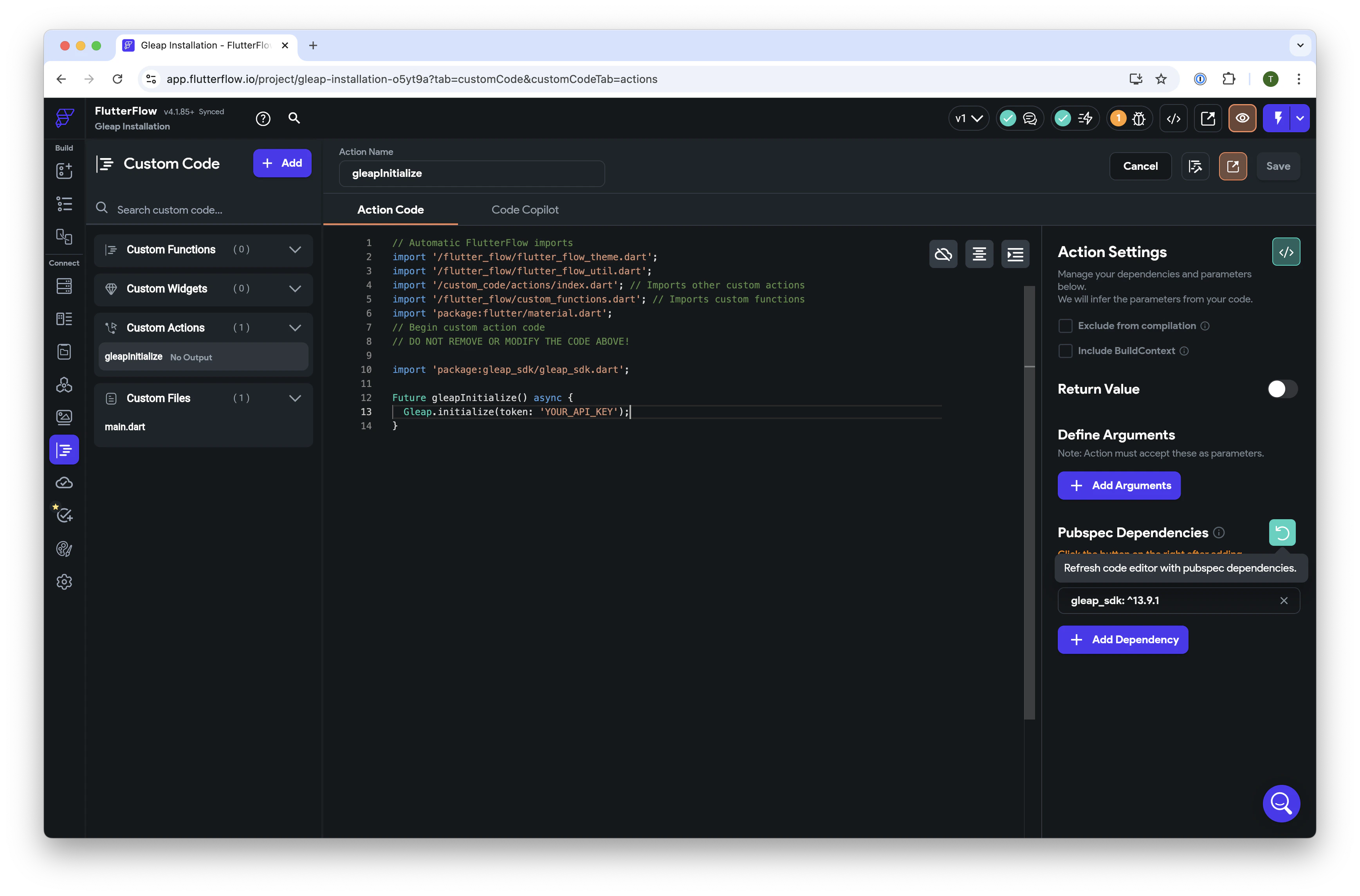
1. Navigate to the `Custom Code` section in FlutterFlow and create a new `Custom Action` called `gleapInitialize`.
2. Add the latest [Flutter Gleap SDK](https://pub.dev/packages/gleap_sdk) as a dependency, then refresh the code editor to load the pubspec dependencies.
3. Copy and paste the following code to initialize Gleap, replacing `'YOUR_API_KEY'` with your actual API key, and save the configuration:
```js theme={null}
// Automatic FlutterFlow imports
import '/flutter_flow/flutter_flow_theme.dart';
import '/flutter_flow/flutter_flow_util.dart';
import '/custom_code/actions/index.dart'; // Imports other custom actions
import '/flutter_flow/custom_functions.dart'; // Imports custom functions
import 'package:flutter/material.dart';
// Begin custom action code
// DO NOT REMOVE OR MODIFY THE CODE ABOVE!
import 'package:gleap_sdk/gleap_sdk.dart';
Future gleapInitialize() async {
Gleap.initialize(token: 'YOUR_API_KEY');
}
```
 ### Web Installation
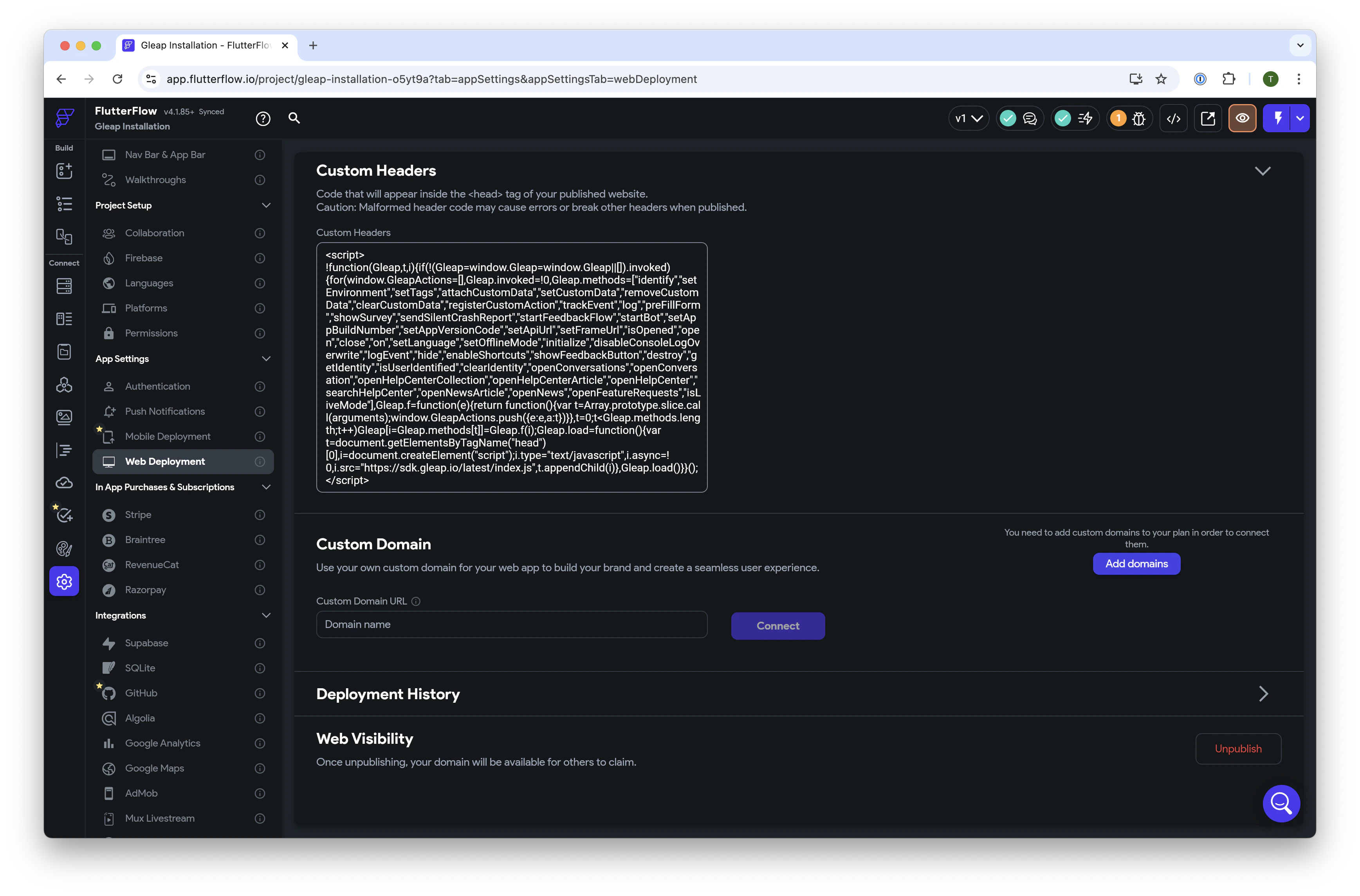
For web support, go to `App Settings` > `Web Deployment`, and paste the following script into the `Custom Headers` section:
```js theme={null}
```
### Web Installation
For web support, go to `App Settings` > `Web Deployment`, and paste the following script into the `Custom Headers` section:
```js theme={null}
```
 ### SDK Configuration
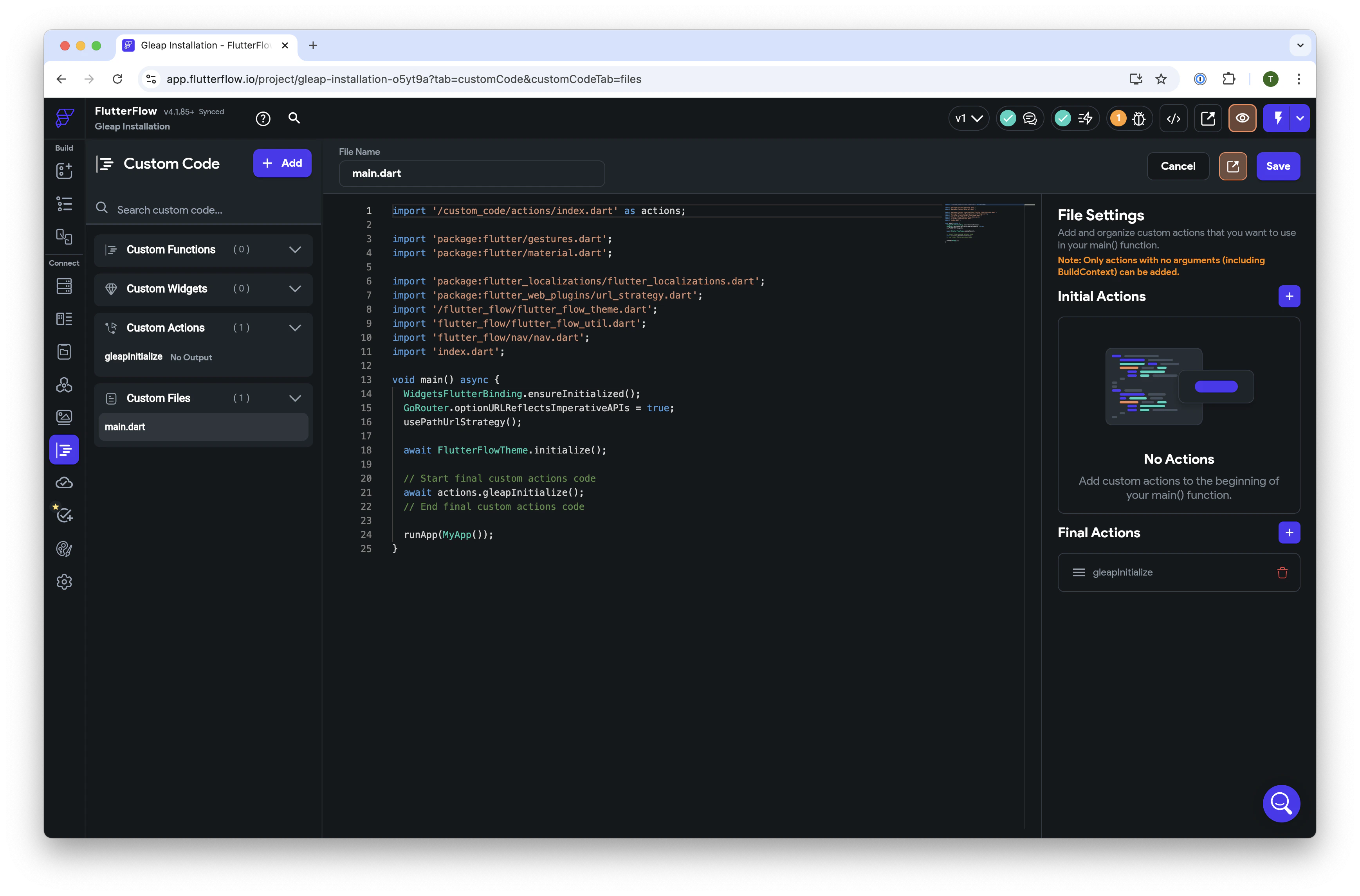
To configure the SDK, navigate to `main.dart` under `Custom Files`, and add the newly created `gleapInitialize` function to the `Final Actions` section. Save the configuration.
### SDK Configuration
To configure the SDK, navigate to `main.dart` under `Custom Files`, and add the newly created `gleapInitialize` function to the `Final Actions` section. Save the configuration.
 ### Run your app
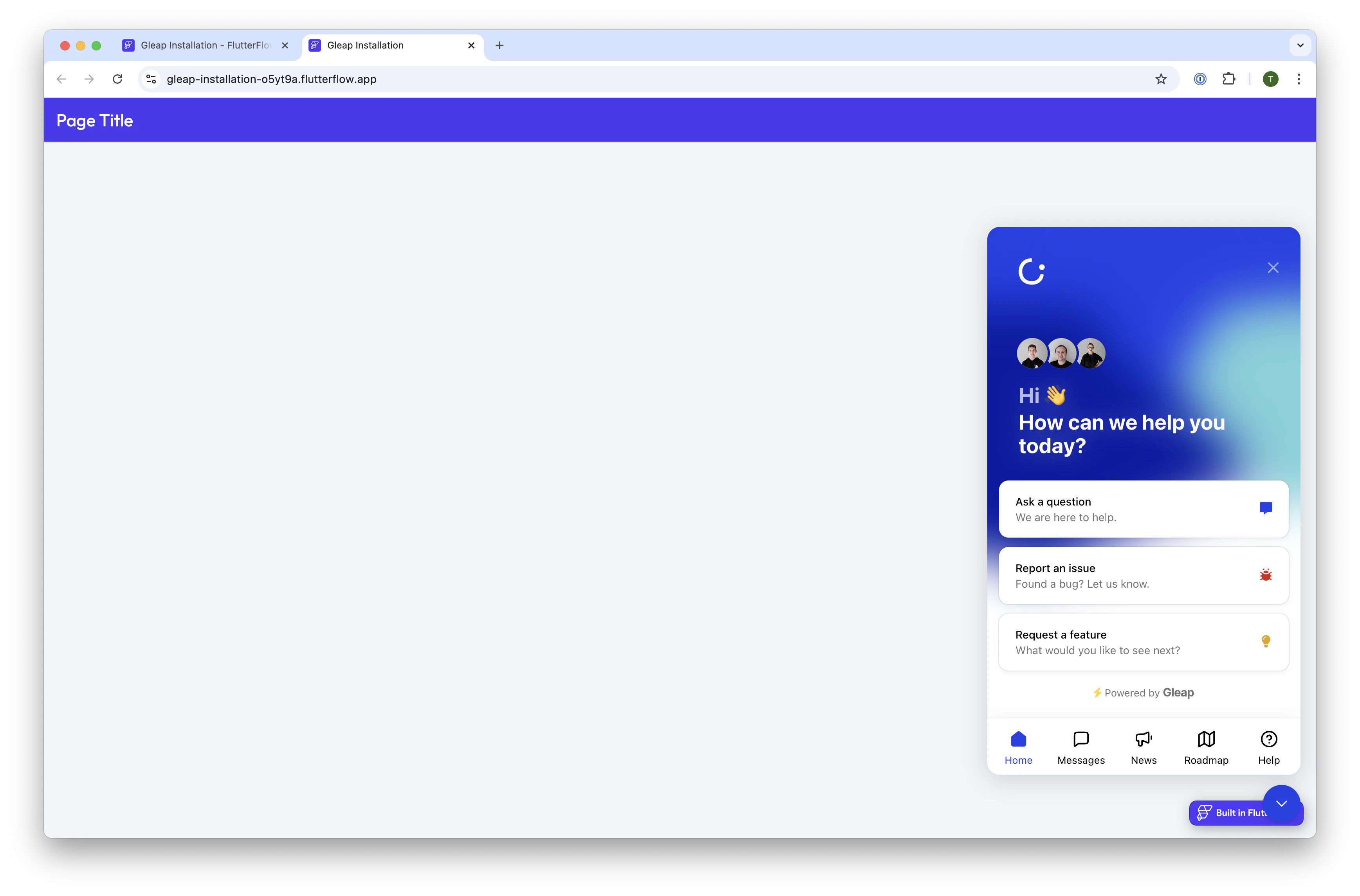
Deploy and run your app to experience Gleap in action.
### Run your app
Deploy and run your app to experience Gleap in action.
 ### Utilizing the Gleap SDK
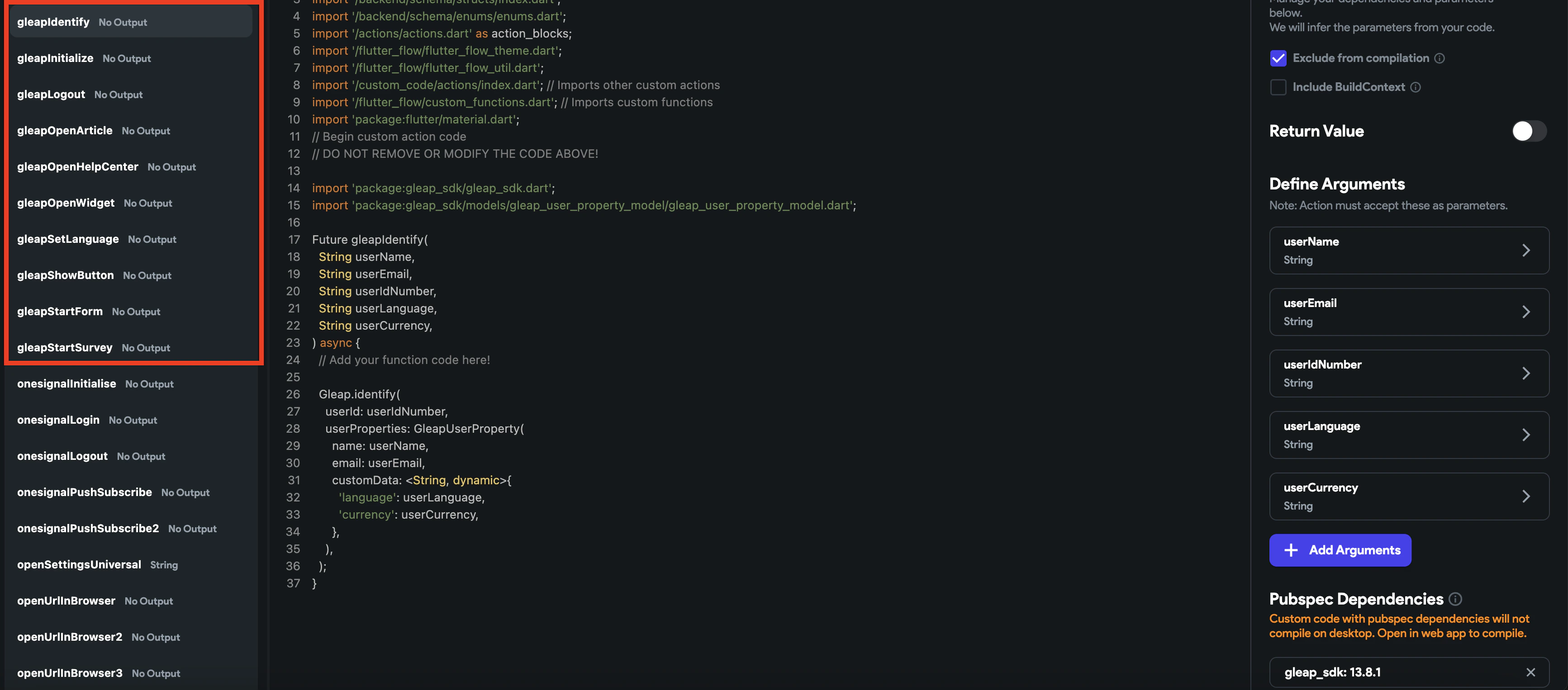
You can utilize all the features provided by the Flutter Gleap SDK by creating custom actions for each method. For more information on configuration options, visit the [Flutter Gleap documentation](/flutter).
### Utilizing the Gleap SDK
You can utilize all the features provided by the Flutter Gleap SDK by creating custom actions for each method. For more information on configuration options, visit the [Flutter Gleap documentation](/flutter).
 ### 🎉 You're All Set!
Congratulations! Your Gleap integration is complete, and you're ready to collect valuable user feedback.
## 🤝 Need help?
We are here to help! [hello@gleap.io](mailto:hello@gleap.io)
### 🎉 You're All Set!
Congratulations! Your Gleap integration is complete, and you're ready to collect valuable user feedback.
## 🤝 Need help?
We are here to help! [hello@gleap.io](mailto:hello@gleap.io)